PromptToVisual Review
AI image generation and reference-photo editing in one workspace.
Disclosure: PromptToVisual and AI Tool Finder share an owner. This is an affiliated product profile, not an independent endorsement or a paid customer placement.
Direct answer
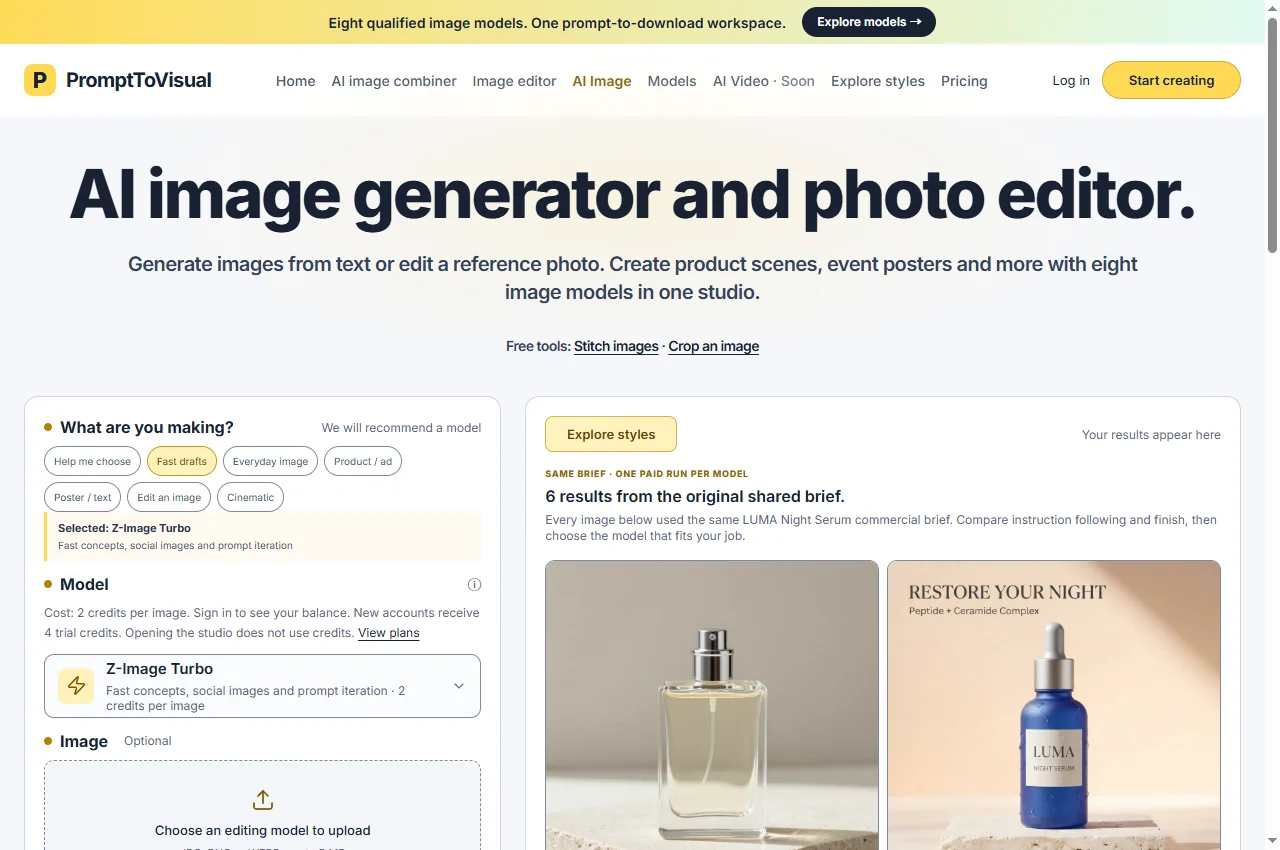
PromptToVisual brings text-to-image generation and reference-image editing into a browser workspace. It is a useful option when you want to choose an image model by the job—fast drafts, product scenes, poster text or reference-led edits—without switching between separate interfaces.
Real example: one product-ad brief, two image models
For a text-led product concept, the useful question is whether the result keeps the wording readable and gives the object the finish you want. These two saved PromptToVisual examples make that comparison visible before you spend credits.
Sample provenance: existing first-party outputs from September 2, 2026, supplied by PromptToVisual. One 1024 × 1024 text-to-image result per model, using the same English brief; the published comparison reports no paid retries for this pair. LUMA is fictional. This is an inspection of saved samples, not a new independent benchmark.


What the brief asked for
One cobalt-blue serum bottle with a silver dropper, on an ivory stone pedestal against a peach background. The required text was “RESTORE YOUR NIGHT”, “Peptide + Ceramide Complex”, “LUMA” and “NIGHT SERUM”. No real product photograph was uploaded.
What is visible in this pair
- Both samples show a single blue bottle and the four requested text strings. This is useful evidence for this particular English layout, not a general text-accuracy rate.
- Qwen uses a sans-serif headline and a relatively smooth pedestal. GPT uses a serif headline and shows stronger stone pores and surface droplets.
- The bottle shapes and layout differ. Because the input was text, neither image demonstrates preserving the geometry, label or proportions of an existing product.
How to turn this into a useful trial
- Choose one real deliverable: for example, a square concept ad with a short headline. Write the exact text and decide what would make the result unacceptable.
- Inspect the studio's current model cost. Testing two models consumes two runs; this saved comparison is not a promise that both fit within free trial credits.
- Compare the outputs at full size. Check spelling, duplicate objects, packaging shape and whether the finish suits your brand. Keep the result only if it passes your brief.
Try a lower-cost model first when layout exploration is the job; compare another model if its visible finish matters to your final image. No winner is established across other subjects, languages or settings. GPT's published sample used Medium quality, and this pair does not establish generation speed.
Best for and when to skip
Best for
Creators preparing product concepts, social images and posters who want model choices alongside practical image tools.
When to skip
Skip it when the deliverable is a finished video, exact product reproduction without review, or an image whose usage rights you cannot establish. Its navigation marks AI video as coming soon.
Pricing and access
The public studio displays 4 trial credits for new accounts and a model-dependent generation cost. The selected Z-Image Turbo option costs 2 credits per image; other models cost more. Check the displayed cost and account balance before generating. Opening the studio does not itself use credits.
Access and pricing are based on the public website checked on September 22, 2026; the current product terms apply.
A practical first workflow
- Choose the task and model before entering the prompt. The interface distinguishes text-only generation from reference-image editing.
- For editing, use an original photo you have rights to and check the upload requirements shown for that model.
- Review text, logos, product shape and unwanted artifacts before using an output. Use the separate crop, resize or stitch tools for finishing where appropriate.
Before you commit
- Does this model accept a reference image, or only text?
- How many credits does the selected model cost for this run?
- Are logos, labels and product proportions preserved well enough for the intended use?
Limitations
A shared interface does not make all models interchangeable. A model suited to fast concepts may be a poor choice for packaging text or a precise product edit. The video showcase on the homepage is identified as created outside PromptToVisual; it is not proof of an available video-generation feature.
Alternatives and companion workflows
For an existing design layout, compare Canva. For creative image exploration, compare the models in our image-generator guide. Use Image3D only when the next deliverable is an actual 3D model rather than a flat image.
Frequently asked questions
What is PromptToVisual best for?
Creators preparing product concepts, social images and posters who want model choices alongside practical image tools.
Is PromptToVisual free?
The public studio displays 4 trial credits for new accounts and a model-dependent generation cost. The selected Z-Image Turbo option costs 2 credits per image; other models cost more. Check the displayed cost and account balance before generating. Opening the studio does not itself use credits.
Is this an independent review?
No. PromptToVisual and AI Tool Finder share an owner. This profile describes the public interface and published terms; it does not claim independent hands-on testing or a guaranteed outcome.
Sources and related products
PromptToVisual official website · Public interface and published offer checked September 22, 2026. No payment or private customer data was used for this profile.
Ownership disclosure and related projects · Browse all categories