Best Free AI Audio and Voice Tools 2026: TTS, Cleanup and Music
Compare the free tiers of ElevenLabs, Adobe Podcast, Suno and Audacity across three different jobs: generating speech, cleaning a recording, and producing music. Each free tier withholds something different, and in two cases the thing withheld is the commercial licence.
AI Tool Finder Editorial Team · Sources checked September 17, 2026
Direct answer: pick by the job and check the licence first
Use ElevenLabs Free for text-to-speech evaluation, Adobe Podcast Free for a single speech-cleanup pass, Suno Free for experimenting with song ideas, and Audacity when you need a free editor with no account, no upload and no allowance. Two of the four withhold commercial rights on the free tier, so decide the licence question before you decide the tool.
This is a documentation-verification guide. Allowances, branding conditions and licence statements below are quoted from each vendor's own pricing or plan page on the check date. We have not processed the same recording in all four tools, so no audio-quality ranking is claimed.
Four candidates were kept because they represent four different free jobs: metered speech synthesis, a capped speech-cleanup pass, a daily music allowance without commercial rights, and a local editor with no meter at all. Tools whose free tier is a trial rather than a plan were excluded, because a trial cannot support a repeatable workflow.
The distinguishing line on this pricing page is the licence, not the credit count. Commercial licence is listed as a Starter feature, so the free tier is for evaluation and personal experiments.
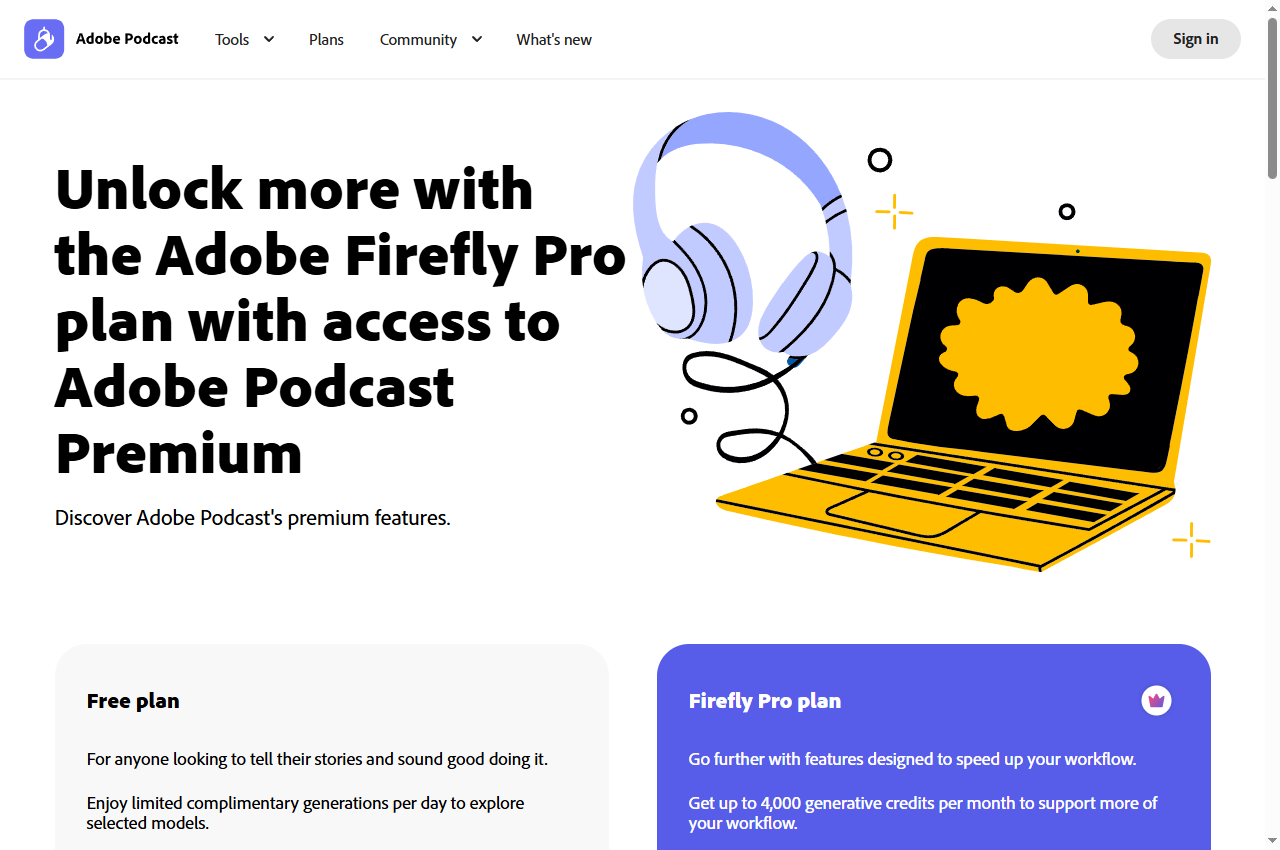
Official page captured 22 September 2026. Pricing and interface may change. Open the current official page. This is a source preview, not a product test result.
The free plan documents Enhance Speech at 30 minutes maximum per file, one hour per day, audio only, with podcast branding on Studio downloads.
Best for
Improving a single voice recording without a paid plan
Check first
The 30-minute maximum duration and the one-hour daily cap
Limitations
The free plan is documented as audio only with no video support, no bulk upload, no strength adjustment, a 30-minute maximum and a one-hour daily cap; Studio downloads are limited to two projects per day with podcast branding.
This is the clearest free tier in the shortlist because Adobe publishes the exact caps. It is also the most narrowly scoped: Enhance Speech on free is a single-file, audio-only operation with a hard daily ceiling.
The free plan documents 50 credits per day with access to the free models, but no monthly downloads and no commercial rights.
Best for
Sketching song ideas before deciding on a plan
Check first
That free output has no commercial rights and cannot be downloaded monthly
Limitations
The free plan is documented as 50 credits per day with no monthly song downloads, no commercial rights, no stem separation and no add-on credit purchases.
The free tier is explicitly for listening inside the product. Both downloads and commercial rights are paid-plan features, so evaluate song ideas here and budget a plan for anything you intend to use.
Audacity is the fallback when a metered free tier cannot cover the job. It has no allowance, no upload and no branding, but it also does not make the decisions for you.
Monthly credits, a daily processing cap, a daily music credit and a local installation are different meters. In two cases the more important difference is the licence rather than the allowance.
Four free AI audio options compared
ElevenLabs Free: text-to-speech evaluation
ElevenLabs lists a Free plan at $0 per month with 10k credits per month and access to text to speech, speech to text, sound effects, voice design, music, productions, image and three Studio projects. The Starter plan at $6 per month is described as Everything in free, plus a commercial licence, instant voice cloning, twenty Studio projects, music commercial use, Dubbing Studio and image and video.
That wording places the commercial licence on the first paid tier. Anyone evaluating the free plan for client or monetised work should treat the licence boundary as the decision point rather than the credit allowance, and confirm the current terms on the vendor's own legal pages.
The free tier also withholds instant voice cloning and professional voice cloning, both of which appear on paid tiers. The plan comparison table lists custom voice slots as a paid feature, so voice identity work is not available at zero cost.
When to skip: if the output will be published commercially, or if you need a cloned voice. Both sit above the free tier.
The Adobe Podcast plans page lists the free plan as including Enhance Speech with audio only, no video support, no bulk processing, upload one at a time, no strength adjustment and a maximum duration of 30 minutes up to 500 MB, with a one-hour maximum per day. Studio on free allows downloads of projects up to 30 minutes, two projects per day, no download of original recordings and podcast-branded audiograms.
The Firefly Pro plan raises these ceilings: up to four hours of enhanced speech per day with files up to two hours and 1 GB, video support, bulk upload, strength adjustment, no Studio download limits, download of original recordings separated by speaker, and removal of the podcast branding. It also includes 4,000 generative credits per month.
Because the free caps are stated precisely, planning is straightforward. Two 25-minute episodes a week fit inside the daily hour only if they are processed on separate days; a single 40-minute file does not fit at all.
When to skip: if your file exceeds 30 minutes, if you need video processed, or if you need the original recording downloaded separately by speaker.
Suno's pricing page describes the Free plan as Our starter plan at $0 per month with access to the free models, 50 credits per day, standard features only, uploads up to eight minutes, a shared creation queue, and explicitly: No monthly song downloads, No commercial rights, No add-on credit purchases and No stem separation.
The Pro plan at $8 per month adds 2,500 credits per month, twenty song downloads per month, commercial use rights, two stem separation types, a priority queue and the ability to purchase additional credits and downloads. Premier at $24 per month raises this to 10,000 credits and sixty downloads with advanced editing.
The pricing page also states that subscription credits do not carry over from day to day or month to month, while purchased top-up credits do not expire but require an active subscription. That distinction matters when planning a project that spans several weeks.
When to skip: if you need to download the audio or use it commercially. Both are excluded from the free plan by name.
The Audacity project describes it as free software for recording and editing audio that runs on Windows, macOS and Linux, supporting major audio formats for import, export and conversion, third-party plugin formats, and spectrogram analysis for visualising frequencies.
It is a general editor rather than a one-click AI service. Where a hosted tool offers a single button, Audacity requires you to choose and configure the processing, which is more work but also more controllable. The project also documents optional AI plugins distributed separately, including noise suppression and music separation, which change what the application can do beyond its built-in effects.
Because there is no meter and no upload, the marginal cost of a second or third pass is zero. That makes it a practical way to test whether a paid service is worth paying for at all: run the manual version first and see how far it gets you.
When to skip: if you need a guided one-click result and have no time to learn the tool, or if you need the specific reconstruction behaviour of a hosted neural service.
Separate the three jobs before comparing tools. Generating speech, cleaning an existing recording and producing music are different tasks, and a tool that is generous at one is usually restrictive at another. A single shortlist across all three only makes sense if you keep the jobs distinct.
Then read the licence line, not just the allowance line. Two tools here withhold commercial rights on the free tier by name, and one withholds the commercial licence to the first paid tier. If the output will be published, that is the first question rather than the last.
Finally, check the caps that only appear at the boundary: maximum file duration, daily processing limits, branding on exports and whether downloads are permitted at all. These decide whether a free tier is usable far more often than the headline credit count.
A short verification you can run
Use a recording or a script you already own and already know the correct result for. This is a proposed verification design, not a completed comparative test.
Keep the source file. Never let a processed file become your only copy.
Process at your real length. A short sample will not reveal a duration cap; only a file at the boundary will.
Listen for content, not polish. Check names, numbers and sentence endings against the source. A smoother file does not prove the words survived.
Check the export and its branding. Confirm the delivered file, its format and any announcement or jingle added by the vendor.
Confirm the licence. Where the plan page does not state commercial rights, read the terms before publishing.
Pricing and free-plan limits
ElevenLabs Free is $0 with 10k credits per month; Starter is $6 per month and is where the commercial licence appears. Adobe Podcast Free is $0 with a 30-minute file cap, a one-hour daily cap and podcast branding on Studio downloads; the Firefly Pro plan raises this to four hours per day with 1 GB files and 4,000 generative credits per month.
Suno Free is $0 with 50 credits per day, no monthly downloads and no commercial rights; Pro is $8 per month with 2,500 credits, twenty downloads and commercial rights. Audacity costs nothing and has no meter, but it also provides no hosted processing.
Where a vendor publishes a per-unit figure, compare on that. ElevenLabs publishes an approximate extra-minute rate on its comparison table, and Suno publishes credits per day against credits per month, so the headline prices are not directly comparable.
Limits and when to skip a free plan
Skip the free tier when commercial rights are excluded, when downloads are not permitted, when your file exceeds the documented duration cap, when a vendor brand would appear in your deliverable, or when the daily cap cannot absorb your working pattern. Each of these is a documented boundary rather than a matter of degree.
Also check what happens to unused allowance. A daily grant normally does not accumulate; a monthly grant may or may not roll over; a one-time grant never resets. Planning a large job around an allowance that resets smaller than you assumed is a common and avoidable error.
Re-verify before you commit. Audio plan structures change, and the figures on this page carry the check date printed with them.
Build a repeatable acceptance checklist
Before publishing audio processed on a free plan, check that the delivered file carries no unwanted branding, that the loudness is consistent with your other episodes, that the duration and format match the platform's requirements, and that the licence covers the use. Keep the source file alongside the processed version.
Save one reference excerpt that represents the sound you accept. Re-run it whenever you change tool or plan, so that a change in free-tier behaviour is noticed before it reaches a published episode.
Official pricing and plan pages were checked September 17, 2026. This is a documentation-verification guide. No audio-quality ranking is claimed.
Frequently asked questions
Which free audio plan allows commercial use?
Among the tools compared here, the free tiers of Suno and ElevenLabs exclude commercial use by name, and Adobe Podcast's free plan brands Studio downloads. Audacity is free software with no such restriction, but it provides no hosted processing. Always confirm on the vendor's own legal pages.
Can I download audio made on a free music plan?
Suno's free plan explicitly lists no monthly song downloads. That is a plan limitation rather than a technical one, so the audio cannot be exported until a paid plan is active.
How long a file can I clean on a free plan?
Adobe Podcast documents a 30-minute maximum per file and a one-hour maximum per day on the free plan, with audio only and no bulk upload. Files above the cap require a paid plan.
Is a free text-to-speech allowance enough for a podcast?
Measure it. Ten thousand monthly credits translate into a fixed number of minutes depending on the model, and that figure — not the credit count — is what determines whether a weekly episode is affordable on the free tier.
Is this a listening-test ranking of free audio tools?
No. The comparison is built from published plan documentation and each vendor's own pages. The verification steps are proposed editorial guidance, not a completed comparative test.